Compliance Checklists
 What Is an ELD in Trucking? Meaning & Rules | Konexial

What Is an ELD in Trucking, and How Does It Work?
TL;DR: An ELD is an engine-connected system that automatically records driving time and supports accurate hours-of-service records. Most drivers required to maintain records of duty status must use one unless an FMCSA exception applies.
- ELDs capture time, location, engine hours, vehicle miles, motion status, and identifying information while drivers enter and certify their duty status.
- Common exceptions include qualifying short-haul operations, limited paper-log use, driveaway-towaway work, and vehicles with pre-2000 engines.
- Allowed edits preserve the original record; automatically recorded driving time cannot normally be changed to non-driving time.
- Drivers must know how to transfer logs during inspections and follow paper-log procedures when an ELD malfunctions.
- Fleets should verify a device on FMCSA’s registered list, monitor revocations, and compare usability, support, and fleet-management connections.
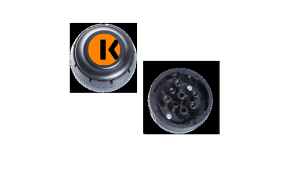
An electronic logging device (ELD) is a system that synchronizes with a commercial motor vehicle’s engine to record driving time automatically. It helps drivers maintain their hours-of-service records and gives carriers access to the records they must retain.
Drivers use an ELD to select non-driving duty statuses and review their daily activity before certifying their records of duty status, or RODS. The system also records vehicle activity that would be difficult to capture reliably through manual entries.
For most drivers who must maintain RODS, an ELD replaces the traditional paper logbook. The device does not change federal hours-of-service limits or make compliance decisions for the driver. It creates the record that drivers and carriers use to manage those requirements.
What Does ELD Stand for in Trucking?
ELD stands for electronic logging device. The ELD meaning in trucking is tied directly to hours-of-service recordkeeping: the device connects to the vehicle’s engine, detects driving activity, and combines that information with the driver’s duty-status entries.
Essentially, for truckers, an ELD is an engine-connected electronic logbook built to meet federal technical requirements.
A truck driver’s electronic logging device may use a smartphone or tablet as its display. However, an app alone does not qualify as an ELD unless the complete system synchronizes with the vehicle and meets Federal Motor Carrier Safety Administration specifications.
That distinction separates a compliant ELD from basic logging software. A driver can enter information into either system, but an ELD must automatically capture required data when the vehicle operates.
How Does an ELD Work?
An ELD connects to the commercial vehicle’s engine control module, either directly or through compatible hardware. When the vehicle begins moving, the system automatically records driving time under the account of the driver who is logged in.
The driver remains responsible for recording other duty statuses, such as on-duty not driving, off-duty, or sleeper berth. At the end of the day, the driver reviews the log and certifies that it is complete and accurate.
If the vehicle moves without a driver logged in, the activity appears as unidentified driving time. The carrier must assign that time to the correct driver or add an explanation showing why it remains unassigned.
What Information Does an ELD Record?
An ELD automatically records specific information needed to support a driver’s hours-of-service log.
Required data includes:
- Date and time
- Approximate vehicle location
- Engine hours
- Vehicle miles
- Engine power and vehicle-motion status
- Identification information for the driver, vehicle, motor carrier, and authenticated user
The device also records duty-status changes and related annotations. It preserves unidentified driving activity until the carrier reviews it.
An ELD is not required to record vehicle speed, braking, steering, or other performance measurements. It also does not have to provide real-time fleet tracking.
A telematics or fleet management platform may collect additional vehicle data, but those functions go beyond the federal ELD requirements.
Who Is Required to Use an ELD?
The FMCSA ELD rule applies to most motor carriers and drivers who must maintain records of duty status under federal hours-of-service regulations. It covers qualifying trucks and commercial buses, including vehicles operated in the United States by drivers based in Canada or Mexico.

Having a commercial driver’s license does not automatically determine whether someone needs an ELD. The key question is whether the driver’s operation requires RODS and whether an exception applies.
A carrier must understand how the rule applies to each part of its operation. Drivers may perform exempt work on some days and operate under standard RODS requirements on others.
Who Is Exempt from the ELD Rule?
FMCSA allows several exceptions to the ELD requirement. Drivers may not need an ELD when they:
- Operate under a qualifying short-haul exception and are not required to maintain RODS.
- Need paper RODS no more than eight days during any rolling 30-day period.
- Conduct a qualifying driveaway-towaway operation in which the vehicle driven is part of the shipment.
- Operate a vehicle with an engine manufactured before model year 2000.
Other hours-of-service exemptions may apply to certain agricultural or specialized operations. Because eligibility depends on how and where the vehicle operates, carriers should review the current FMCSA ELD exemptions before relying on paper logs or time records.
Drivers who qualify for an exception can still use an ELD voluntarily. The carrier should retain the documentation needed to show why the exception applies.
Can Truck Drivers Edit ELD Logs?
Drivers and authorized carrier personnel can make limited corrections to an ELD record. Every edit must include an annotation explaining why the change was made, and the ELD must preserve the original entry.
A carrier can propose a correction to a driver’s log, but the driver must confirm its accuracy and recertify the record. The system keeps both the original activity and the proposed change.
Automatically recorded driving time generally cannot be changed to non-driving time. It may be reassigned when the wrong driver was logged in or when unidentified driving activity belongs to another driver. The people involved must confirm the correction when required.
These safeguards allow legitimate mistakes to be corrected without erasing the original record.
What Happens During a Roadside ELD Inspection?
During a roadside inspection, a driver must be able to provide the current day’s log and records for the previous seven days. Depending on the ELD, the driver may transfer the required file electronically or show the information through a display or printout.
Drivers should know how to enter inspection mode and send the file using their device’s supported transfer method. Searching through menus for the first time while an officer waits can turn a routine inspection into an avoidable delay.
The vehicle must also carry the required ELD information packet. It includes operating instructions, data-transfer directions, malfunction procedures, and enough blank RODS graph grids to record at least eight days.
Motor carriers must retain ELD records and a backup copy for six months. The backup must remain separate from the system storing the original records, with driver privacy protected.
What Should a Driver Do If an ELD Malfunctions?
A driver must notify the motor carrier within 24 hours after discovering an ELD malfunction. If the device cannot produce accurate records, the driver should reconstruct the current day and the previous seven days unless those records can be retrieved from another source.
The driver must then use paper logs or another compliant method until the ELD can record and display hours-of-service data correctly.
The carrier generally has eight days from receiving notice to repair, service, or replace the device. If that deadline cannot be met, the carrier may request an extension from the appropriate FMCSA Division Administrator.
A malfunction plan should already be in place before a device fails. Drivers need to know where blank logs are stored, who to contact, and how the carrier will recover earlier records.
What Should Truckers Look for in an ELD?
Truckers should begin by confirming that the device appears on the FMCSA Registered ELDs list. Because devices can later be revoked, carriers should check both the registered and revoked lists periodically.
Price matters, but the monthly subscription does not show the entire cost. Compare the hardware, required adapters, installation, training, and support plan. Time spent resolving log errors or waiting for technical help also belongs in that calculation.
A fleet should evaluate:
- How easily drivers can learn daily logging and inspection functions
- Whether the device maintains records when cellular coverage is limited
- How administrators review unidentified driving and proposed log edits
- Which data-transfer methods the system supports
- How quickly support is available when a driver has a compliance problem
- Whether ELD data connects with the fleet’s existing operational systems
The right choice should fit the vehicles, drivers, and back-office processes already in place. A device that meets the technical rule can still create unnecessary work if people cannot use it confidently.
How Does an ELD Help with Fleet Management?
ELD compliance is the starting point. When ELD data connects with a fleet management platform, the same record can help dispatchers understand driver availability while compliance teams monitor open log issues.
A connected system can help carriers:
- Review available driving hours before assigning work
- Identify unassigned driving time that needs follow-up
- Retrieve logs and supporting records during an audit
- Use jurisdictional mileage in IFTA reporting
- Connect driver status with dispatch or delivery workflows
These functions come from the fleet platform surrounding the ELD rather than from the federal ELD specification itself. That difference matters when comparing a basic logging device with a system intended to support daily operations.
How Does My20 ELD Connect Compliance with Fleet Operations?
My20 ELD connects to the vehicle’s engine control module and pairs with the driver’s smartphone through Bluetooth. It records required HOS data within the hardware and gives drivers a direct way to review logs or transfer records during an inspection.
My20 is currently included on FMCSA’s Registered ELDs list. Within Konexial’s Geo Operations Platform, fleet teams can monitor hours of service and review driver records from the administrative dashboard. They can also connect that data with DVIRs, vehicle diagnostics, and IFTA reporting.
The value lies in what happens after the drive time is recorded. Compliance teams can see which logs need attention, drivers have a clear process for inspections, and the back office has fewer records to chase across separate systems.