Compliance Checklists
 ELD Compliance + fleet management
The best ELD for owner-operators, fleet managers,
and enterprise fleets.
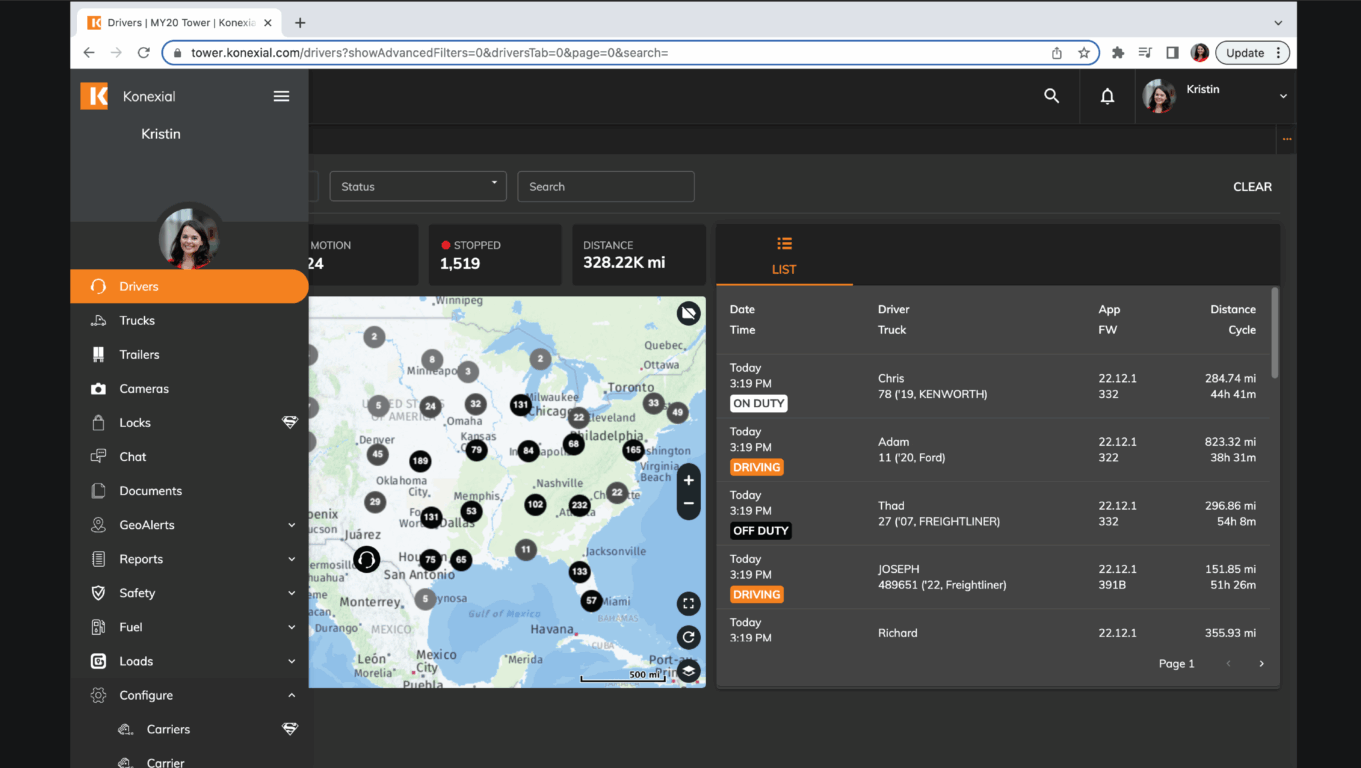

My20 ELD gives fleet managers everything they need to meet FMCSA electronic logging device (ELD) compliance requirements while managing their fleets more efficiently. Konexial ONE and Ki Technology power My20 ELD, which combines simple, powerful, and productive features into one all-in-one solution. As a result, My20 ELD streamlines every aspect of the driving experience while helping fleets increase productivity and earning potential. In addition, fleet managers can use one easy-to-navigate dashboard to monitor and manage their trucks, making day-to-day operations more efficient and informed.
How to Purchase My20 Fleet Management
It’s as easy as 1, 2, 3… First, configure the perfect fleet management system for your business. Next, choose an edge computing ELD, pair it with a Konexial platform subscription, and connect an adapter if needed. Finally, complete the simple setup process and start managing your fleet quickly and efficiently.
1. Choose Your ELD Device
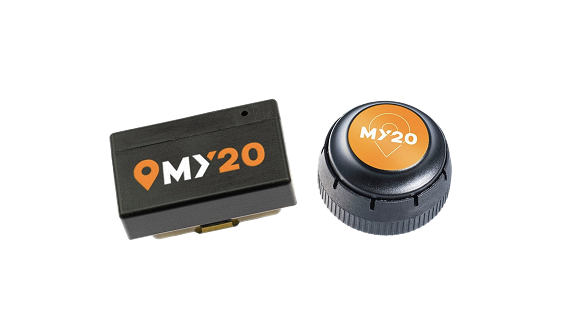
My20 offers two BYOD device options, so you can choose the solution that best fits your fleet’s needs. Simply select the devices that support your operations and help your drivers stay connected.
1. Choose Your ELD Device
My20 offers two BYOD device options, so you can choose the solution that best fits your fleet’s needs. Simply select the devices that support your operations and help your drivers stay connected.
2. Purchase a Subscription
Each driver is required to purchase a Konexial subscription. Call for customized pricing for fleets.
2. Purchase a Subscription
Each driver is required to purchase a Konexial subscription. Call for customized pricing for fleets.
3. Add an Adapter
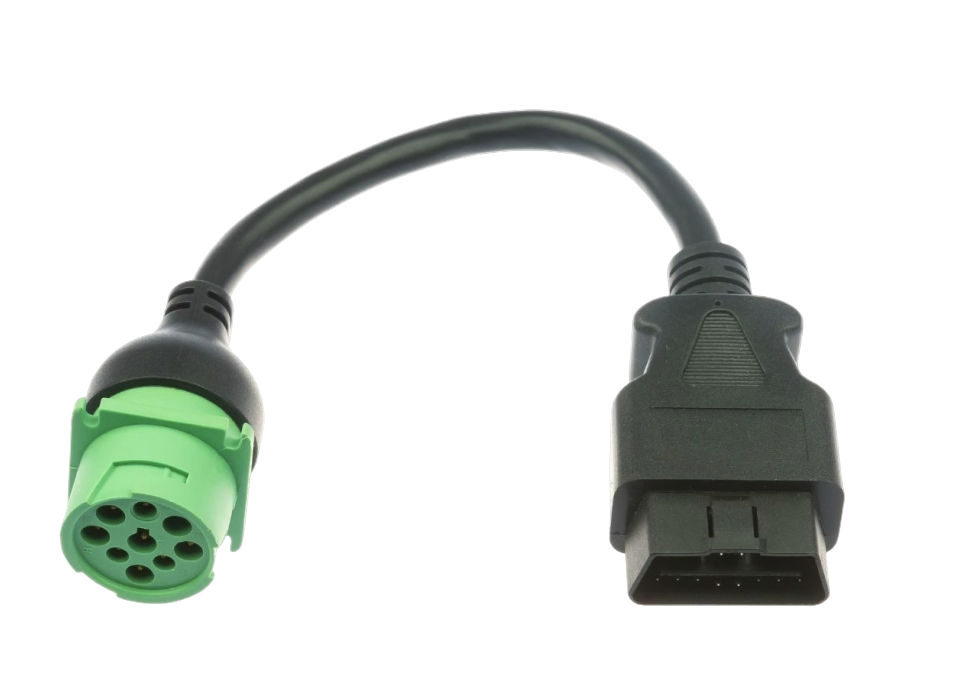
The My20 ELD connects directly into your trucks ECM port. Some trucks require an adapter.
3. Add an Adapter
The My20 ELD connects directly into your trucks ECM port. Some trucks require an adapter.
ELD compliance made easy
My20 ELD combines simple, powerful, and productive features into one complete solution that streamlines every aspect of your drive while helping increase a driver’s earning potential. In addition, My20 ELD delivers more than basic ELD functionality—it provides a comprehensive fleet management solution that helps drivers stay productive and keeps operations running efficiently.
ELD Compliance
My20 ELD is an FMCSA approved electronic
logging device and provides complete ELD
compliance per FMCSA ELD guidelines.

Data Accuracy
Harnessed with edge-computing technology. All HOS data is accurately captured, stored, and secured within the ELD hardware device.

Secured Data
My20 ELD ensures all data is securely recorded, safely stored. We believe data belongs to THE DRIVER. ALWAYS.

Safety
Driver safety remains a top priority. That’s why My20 ELD provides an easy-to-use experience that minimizes distractions while drivers stay focused on the road. In addition, My20 ELD delivers voice-guided, turn-by-turn directions for truck-specific routes, helping drivers navigate with confidence and efficiency.

Customer Support
My20 ELD is rated #1 for customer support. Our team is based in Knoxville, TN and provides the best customer experience in the industry.

Easy Exemptions
My20 provides easy 1-touch exemptions for the most common HOS exemptions; Ag commodities, short-haul, personal conveyance, yard moves, oil-field, and more.


Best Value ELD in Trucking
Your business is important to us. That’s why our team is committed to delivering technology solutions that provide exceptional value for the trucking industry.
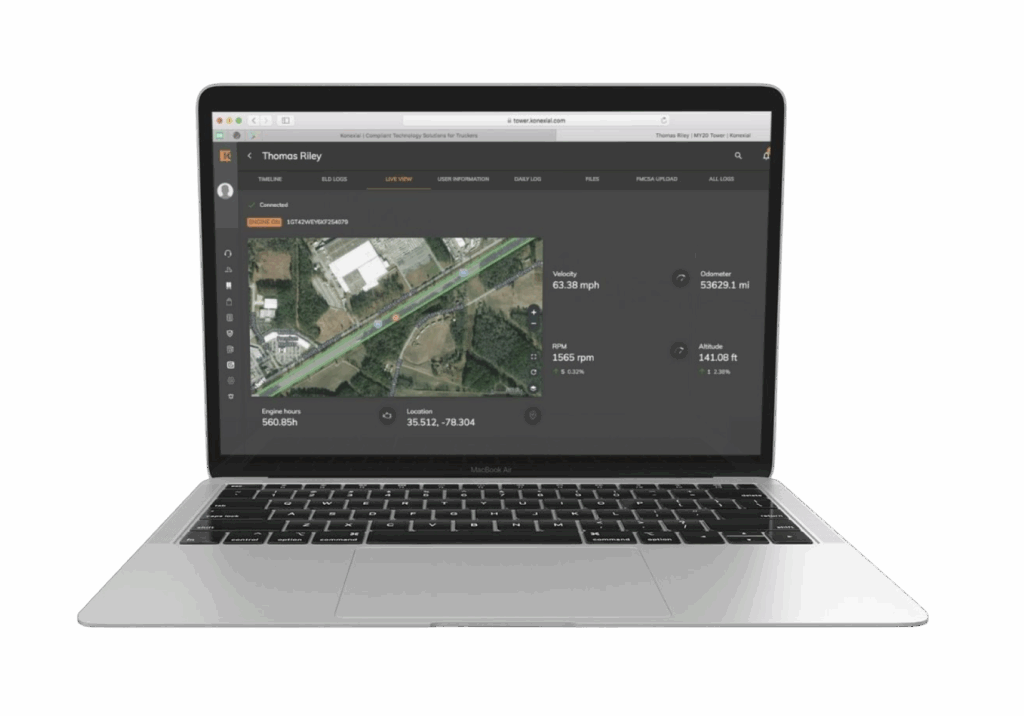
Many fleet managers rely on multiple operating systems to oversee their fleets. Instead of switching between platforms, Konexial ONE brings everything together in one place. Fleet managers can track assets, monitor Hours of Service (HOS) and driver Records of Duty Status (RODS), and access comprehensive reporting, including quarterly IFTA reporting. As a result, they can work more efficiently while gaining better visibility into their entire operation.
Download the My20 ELD quick start guide
Complete the form below to download the My20 ELD quick start guide.
"*" indicates required fields
How My20 Works
You’ve got the My20 ELD, now what?
1. Download
Download the FREE My20 ELD app from the Apple App store or Google Play Marketplace.
1. Download
Download the FREE My20 ELD app from the Apple App store or Google Play Marketplace.

2. Install & Connect
Simply plug the My20 hardware into your vehicle’s diagnostic port (ECM), then pair it with your smartphone via Bluetooth to complete the setup.
2. Install & Connect
Simply plug the My20 hardware into your vehicle’s diagnostic port (ECM), then pair it with your smartphone via Bluetooth to complete the setup.

3. Manage
Once setup is complete, you can transmit HOS data, manage your fleet, audit logs, and report IFTA fuel taxes. In addition, you can use these tools to improve efficiency and gain better visibility across your operations.
3. Manage
Once setup is complete, you can transmit HOS data, manage your fleet, audit logs, and report IFTA fuel taxes. In addition, you can use these tools to improve efficiency and gain better visibility across your operations.

Offering flexible pricing plans for your fleet
| Feature | A La Carte Optional in Bundles | POPULAR Essential Plan $110/vehicle/mo | Growth Plan $155/vehicle/mo | Enterprise Plan Custom Pricing |
|---|---|---|---|---|
| DEVICES | ||||
| ELD | ✓ | ✓ | ✓ | ✓ |
| AI Camera | ✓ | ✓ | ✓ | ✓ |
| Auxiliary Side Mirror Camera (Pair) | ✓ | |||
| IoT GPS Tracking & Sensors | ✓ | |||
| DRIVING SERVICES | ||||
| Commercial Navigation | ✓ | |||
| Configurable Workflow Automation | ✓ | ✓ | ✓ | |
| QR Code Asset & Workflow Technology | ✓ | ✓ | ✓ | |
| Basic Dispatching & Load Optimization | ✓ | ✓ | ✓ | |
| Basic API Access | ✓ | ✓ | ✓ | |
| Vehicle Maintenance | ✓ | ✓ | ✓ | |
| BACK OFFICE | ||||
| Ki™ – Live Freight Matching access | ✓ | ✓ | ✓ | ✓ |
| Ki™ – Dispatch & Route Optimization | ✓ | ✓ | ||
| Ki™ – Freight, Pay & Audit | ✓ | ✓ | ||
| Advanced Configurable Workflow & Automation | ✓ | ✓ | ||
| Advanced API & Partner Integrations | ✓ | ✓ | ||
| Reporting: (IFTA, Vehicle Diagnostics, HoS, DVIR) | ✓ Self service | ✓ Self service | ✓ Self service | ✓ |
| SUPPORT | Email (response within 24 hours) | Email (response within 24 hours) | 7 days / week Live Support | Dedicated 24/7/365 Support & Success Team |